
NASB MacArthur Study Bible8.0.2 - Google Play
You'll be able to see results in few seconds.
Publisher Description
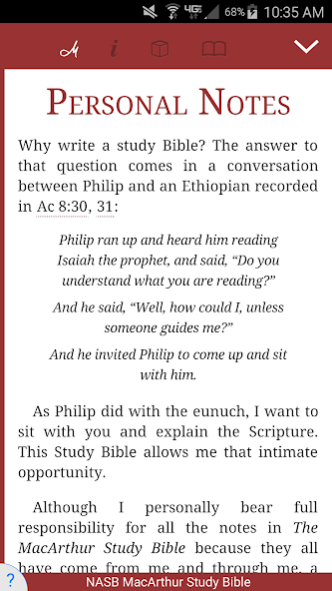
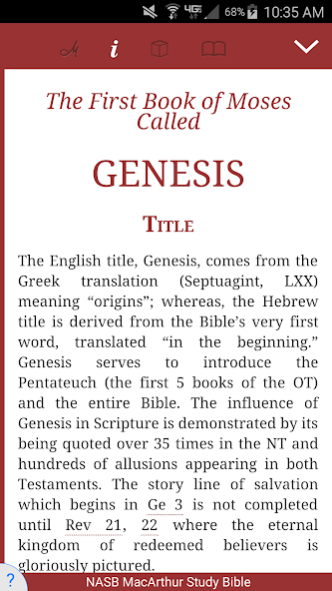
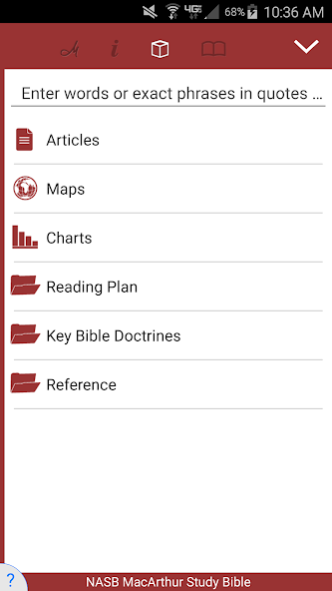
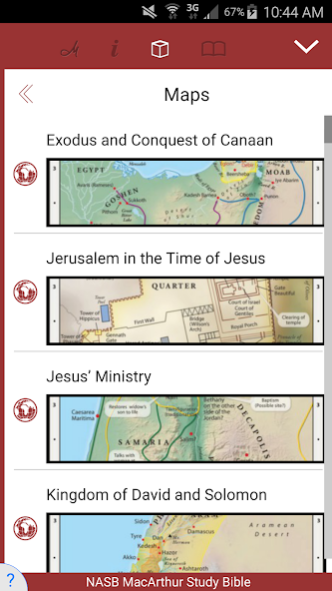
For years, the spiritual lives of countless men and women all over the world have been strengthened with the help of The MacArthur Study Bible. This all-in-one spiritual library contains Dr. MacArthur’s personal study notes below the full-length Bible text. Virtually every Scripture has a matching study note with detailed information, explanation, and helpful insight. The notes are based on Dr. MacArthur's verse-by-verse approach to the Bible and nearly forty years of careful study. His goal is to let the Bible speak for itself—nothing more, nothing less.
Featuring the accuracy of the NASB, MacArthur Study Bible is perfect for serious study. MacArthur offers a study Bible designed not to "fit lifestyles," but to transform your life through vital insights into God's Word. Right there on the page beside the Bible text are helpful charts, and maps, along with thousands of study notes personally written by Dr. MacArthur and informed by the research of scholars at the Master's Seminary.
Features include:
- Complete NASB text
- Nearly 25,000 explanatory notes, charts, maps, outlines, and articles from Dr. John MacArthur
- Complete introductions to each Bible book
- Bible reading plans
- Overview of Theology
- Index to Key Bible Doctrines
- Fast and easy-to-use Bible app
- Flip back and forth from your Bible to note-taking during lessons with one touch and not miss a thing
- No internet connection needed for downloaded Bibles, Study Bibles, Commentaries and Devotionals
- Use either Study mode or Parallel mode.
- Select, copy and paste multiple verses easily and quickly
- Quick navigation either by using predictive entry or table of contents
- Margin notes allow you to write notes for a specific passage
- Night mode for low light reading
- Both word and verse selection for highlights
- Facebook and Twitter sharing
- Highlighting allows readers to easily emphasize verses or passages
- Full-text search by OT, NT or current book allows users to quickly find words and study topics
- Bookmark your favorite passages for quick future reference or make your own personal studies
- Powerful folder system allows users to organize notes and bookmarks
- History folder and back button
- Portrait / Landscape mode
- Font sizes can be easily changed
- Easily e-mail notes to yourself, friends or family
- Users can expand Bible translations library easily and affordably through in-app purchase
- Split-screen capability for parallel translations
- Autoscroll with adjustable speed
- Synchronize all your notes, bookmarks, margin notes and highlights across all Android devices
Are we missing any features you would like to see? Do you have any suggestions? Email us at androidsupport@tecarta.com
About NASB MacArthur Study Bible
The company that develops NASB MacArthur Study Bible is Tecarta, Inc.. The latest version released by its developer is 8.0.2.
To install NASB MacArthur Study Bible on your Android device, just click the green Continue To App button above to start the installation process. The app is listed on our website since 2020-09-09 and was downloaded 0 times. We have already checked if the download link is safe, however for your own protection we recommend that you scan the downloaded app with your antivirus. Your antivirus may detect the NASB MacArthur Study Bible as malware as malware if the download link to com.tecarta.NASBMacArthur is broken.
How to install NASB MacArthur Study Bible on your Android device:
- Click on the Continue To App button on our website. This will redirect you to Google Play.
- Once the NASB MacArthur Study Bible is shown in the Google Play listing of your Android device, you can start its download and installation. Tap on the Install button located below the search bar and to the right of the app icon.
- A pop-up window with the permissions required by NASB MacArthur Study Bible will be shown. Click on Accept to continue the process.
- NASB MacArthur Study Bible will be downloaded onto your device, displaying a progress. Once the download completes, the installation will start and you'll get a notification after the installation is finished.
Program Details
System requirements
Download information
Pricing
Version History
version 8.0.2
posted on 2020-09-09
- bug fixes
version 7.16.11
posted on 2019-12-27
- sharing updates
- fix overlapping chapter numbers bug
version 7.16.9
posted on 2019-09-13
- updated sharing
- new on board screens
- added support for newer Study Bible formats
- bug fixes
version 7.16.5
posted on 2019-01-17
version 7.12
posted on 2018-03-23
- Fix tablet bug (tabs may disappear)
- Added footnotes setting
version 7.11.5
posted on 2017-11-04
- fixed duplicate margin notes
- fixed duplicate study bible callouts
- fixed Android 8.0 notifications
- fixed "Unable to initialize chapter" error
version 7.10.6
posted on 2016-11-04
- improved scrolling,- improved verse selection by tap,- fixed start up SD card errors,- bug fixes
Disclaimer
Official Google Play Link
We do not host NASB MacArthur Study Bible on our servers. We did not scan it for viruses, adware, spyware or other type of malware. This app is hosted by Google and passed their terms and conditions to be listed there. We recommend caution when installing it.
The Google Play link for NASB MacArthur Study Bible is provided to you by apps112.com without any warranties, representations or guarantees of any kind, so access it at your own risk.
If you have questions regarding this particular app contact the publisher directly. For questions about the functionalities of apps112.com contact us.
